
I Rebuilt Our Agency Site with Lovable — Full Breakdown + Free Playbook
Hey y'all. I wanted to make this video to show y'all that there's just been a huge transition in the web design branding industry with the emergence of AI. I know a lot of you are nervous. I know there's a lot going on that you want to be a part of. And so I wanted to make this video to break down how we completely redesigned our website vibe coding, right? This is created in lovable. I'm going to walk you through the step-by-step process of how we did it. And I'm actually going to share some docs with you that'll really help you be able to emulate something like this.
Now, out of the gate, I don't believe these AI tools can create a beautiful functional website just out of the gate. I feel like you do have to have some experience with the design, with UI, with user experience to be able to make something that's cohesive that people enjoy and that people love. And so, I want to walk you through that process and what we've done. This specific platform is called Lovable. With Lovable, you can build websites, web apps.
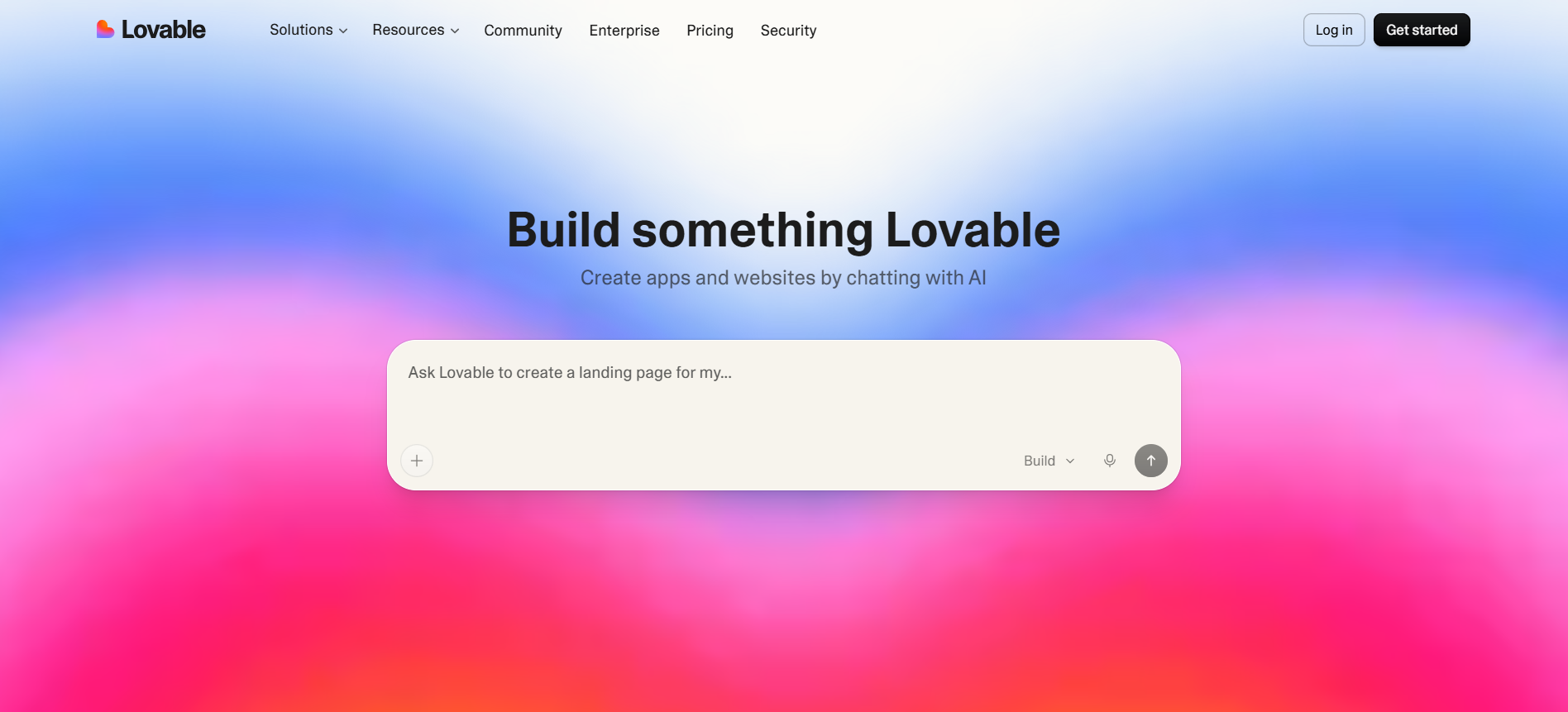
You can build these out in real time by vibe coding, right? you're putting in prompts, you're putting in information, and it's providing you with details and specifics on how to create that website. Now, I'm a huge proponent of systems. I'm a huge fan of creating systems that help your business thrive. And so, because I've done that in the beginning, it's been a lot easier for us to build out a beautiful website like this that's both cohesive and functional. So, I'm going to walk you through how we built this out.
The first thing I like to do when I'm vibe coding a website is think about my stack. Lovable is already going to output this automatically. It's going to give you production-ready code out the gate, but what you want to do is provide it with the things that it needs. So, you can actually go to our site, go to the style guide, and get some ideas for this, but essentially, you want to upload some cohesive things that you need.
One, you need to have some type of display font or H1 font, right? That's like a hero or page title. You also want to have a paragraph font. We chose Satoshi. I really like fonts from Fontshare and I'll show you that website so you can kind of get an idea. But you want to be able to supply these platforms with all the specifics and details that they need. I like font share because these are all production-ready fonts that you can use for business and personal.

They have some really really great stuff here. So I love using them for fresh buildouts that we're doing. So the first thing you want to do is supply the LLM with fonts. I usually like to have two to three main. Our main one is Molden. That's kind of our primary font for like H1, H2 tags for SEO. Satoshi for paragraph. And then we use DM Sans for some of like the smaller fonts and content. You also want to provide the LLM with colors or some type of color code or hex code.
I like to stick with two to three. Again, you can have variants of those, but these are the things you want to supply in the front in the beginning. Then go into the pages. How many pages do you specifically need for your website? Again, Lovable can help you write that in your language, in your overall voice as well. You're going to build all of that through Lovable. So, I'm going to actually show you the SOP that we built out to create this website. Now, the great thing about Lovable is once you build out a website in the platform, you can say something like, "Can you list the technical breakdown of what I provided to create this website?"
This will help you keep an archive of what you have and what you've already built out. So, you can use this in other ways. And so, here's what it output for me in a PDF format. It has all the content updates. We're using sanity CMS for content management system within the site. And I can make a whole video on this piece as well. But this just to give you kind of a general idea. And this is all created and maintained through this lovable platform that we're using.

We've tried lovable, we've tried Claude Code, we've doing all these different things to try them out. And just a reference, we're an agency that focuses primarily on Webflow buildouts for our clients because it's really great. It's easy to use for CMS. The sites are super clean, but we've done this as just a kind of a passion project for fun for our own internal agency. As you can see here, you've got all of the updates and redirects here as well. And I can include a doc like this, a template like this for you to be able to use when you build out your site.
I also have the technical breakdown here. uh you want to be able to add SEO attribution as well. So you got the typography, the technology stack, our design system, all the pages and routes and then all the technical SEO that was done, right? The meta and head tags, the open graph and social, the structured data, the sitemap, the robots.txt, this is all automated. You just have to ask the right question. So I'll provide you all with a questionnaire that you can make sure as a checklist when you're creating a website like this.
So to start back and kind of rewind this and show you how we built this out is we provided it with these main things. So here's a simple playbook we put together. Again, this is a very simplified version to get you started and get you going in a platform like Claude Code or lovable to build out your website. So we've created 30 plain language prompts to build and manage your website for your agency site or your company website, right? And so phase one, you of course want to create a new agency website project. You can use React, Tailwind CSS, and connect it to Sanity CMS for content.
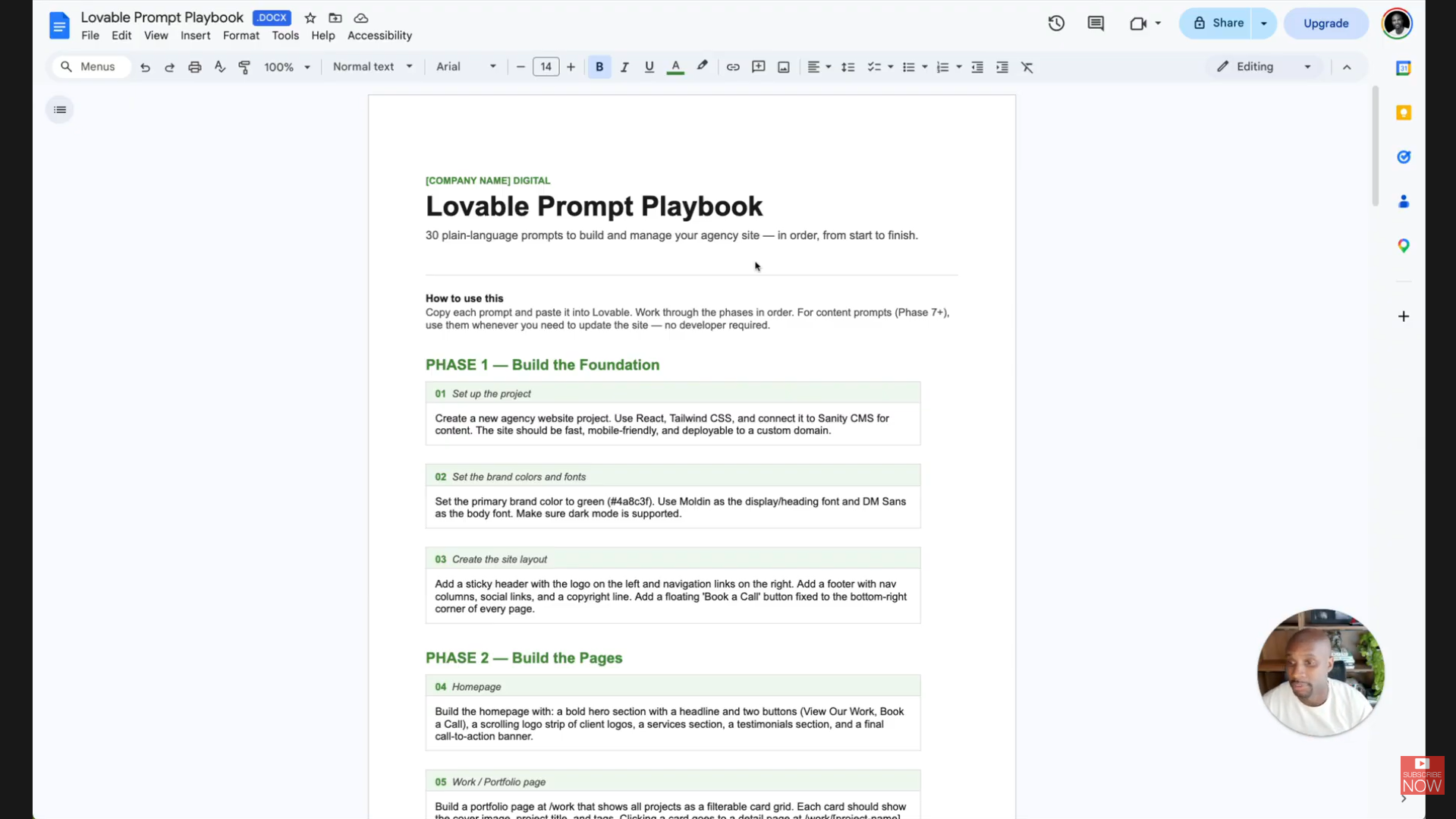
This is going to help you get all the things that you need to get started. Then you want to set the brand colors and fonts, right? You can incorporate the font that you want, choose the fonts. You're going to have to upload those font files into the platform to be able to get those to look consistent with your website. And then you can ask it to build the pages and walk through this process. mainly I wanted to create something that was really easy and user friendly for non-technical folks. So you can set all this up.
Now this is a really cool part. You can actually have these platforms go in and write the SEO pieces and components for your site. So for example, you can have it write up a unique title. You want to keep it under 60 characters. You want to format it correctly and properly and add a meta description as well. It'll set canonical URLs also. And then you can have it set up open graphs and then have it do all the structured data and schema for you, which is huge. I mean, we did this for our site. We manually submitted to the search engines and it just did really really well. It'll help you set up all your 301 redirects. And then you also want to make sure you set up Google Analytics or Chrome to make sure that you're tracking and getting all the data that you need as well.
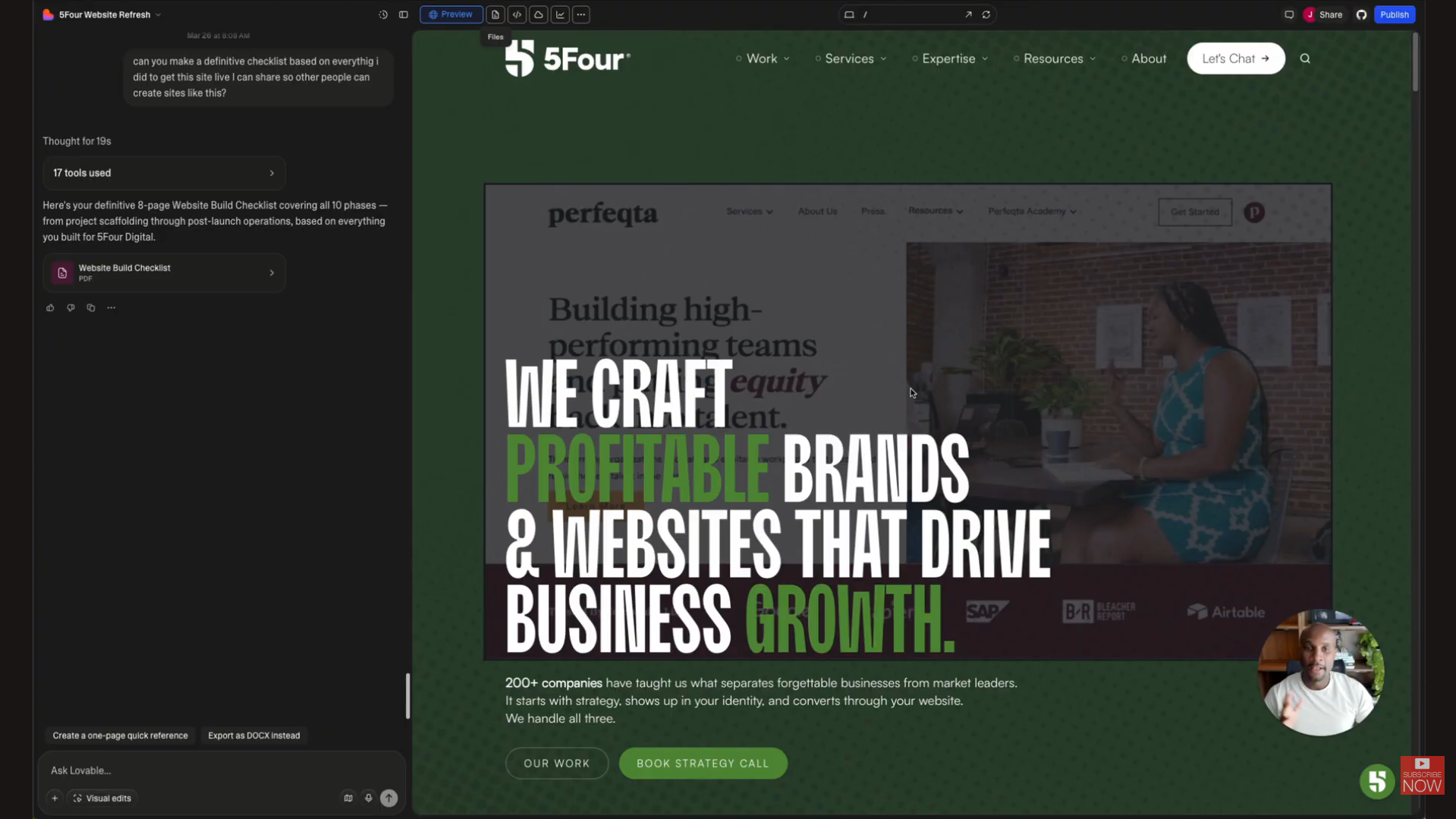
So go through this checklist. Let me know if you guys have questions. We really wanted to make this really easy and simple. And so that way you can get a really great looking site because this site was completely vibe coded using our fonts, our look, our design, our aesthetic, right, for our agency. And it just doesn't look vibe coded, right? It looks like something that was completely custom. And it kind of is, right? Because we have the skills and the expertise to be able to create these beautiful consistent designs for our clients. We passed that on to just this passion project we were working on for our own studio.
Again, if you have questions, y'all drop a comment below. I will have a checklist, a link to the checklist below. No option, just grab it. I want to provide you with massive amounts of value and I hope it helps. Peace y'all.
🔗 Grab the free 30-prompt Lovable Playbook (no opt-in): Lovable Prompt Playbook
Whenever you're ready, there are 3 ways I can help you:
WeeklySOP
A premium newsletter where I drop one fully-built SOP every week. These are real processes from inside my creative agency — made to help freelancers and agency owners delegate, document, and grow with confidence.
Grab the Borderless Book
Get my book, Borderless: How to Hire, Train and Grow a Design and Web Development Agency with Worldwide Talent. It’s the ultimate guide for web designers, brand designers, entrepreneurs, and business owners looking to tap into the vast pool of global talent.
Scale your agency.
Start here.
I will never spam or sell your info. Ever.

.webp)
.jpg)