
Create Beautiful Website Illustrations Using MidJourney (Step-by-Step)
I want to show you guys how we create beautiful illustrations like this for our client websites using Midjourney. So, I'm going to walk you through this process. Now, I'm John. I'm the founder and creative director at 5Four Digital. We're a web design and development agency, and we lean on AI. I mean, we use it to integrate it into our ecosystem to create beautiful designs and visuals for websites like this one. So, I'm going to show you how we come up with these concepts, how we ideate, and how we get these live with high-res images that just look really great on website design.

So, first thing we do is we jump into Midjourney. Now, Midjourney has this really cool feature called explore, where you can just explore a bunch of images from the day, from the month. You can even look at top designs and aesthetics. So, I can even go to top day. I get this drop-down. I can go to top month, and I can see the top images influencing a lot of that. And what I could do is I can kind of piggyback off of these ideas and concepts. And so, that's what we did with that blueprint idea for the illustrations here.
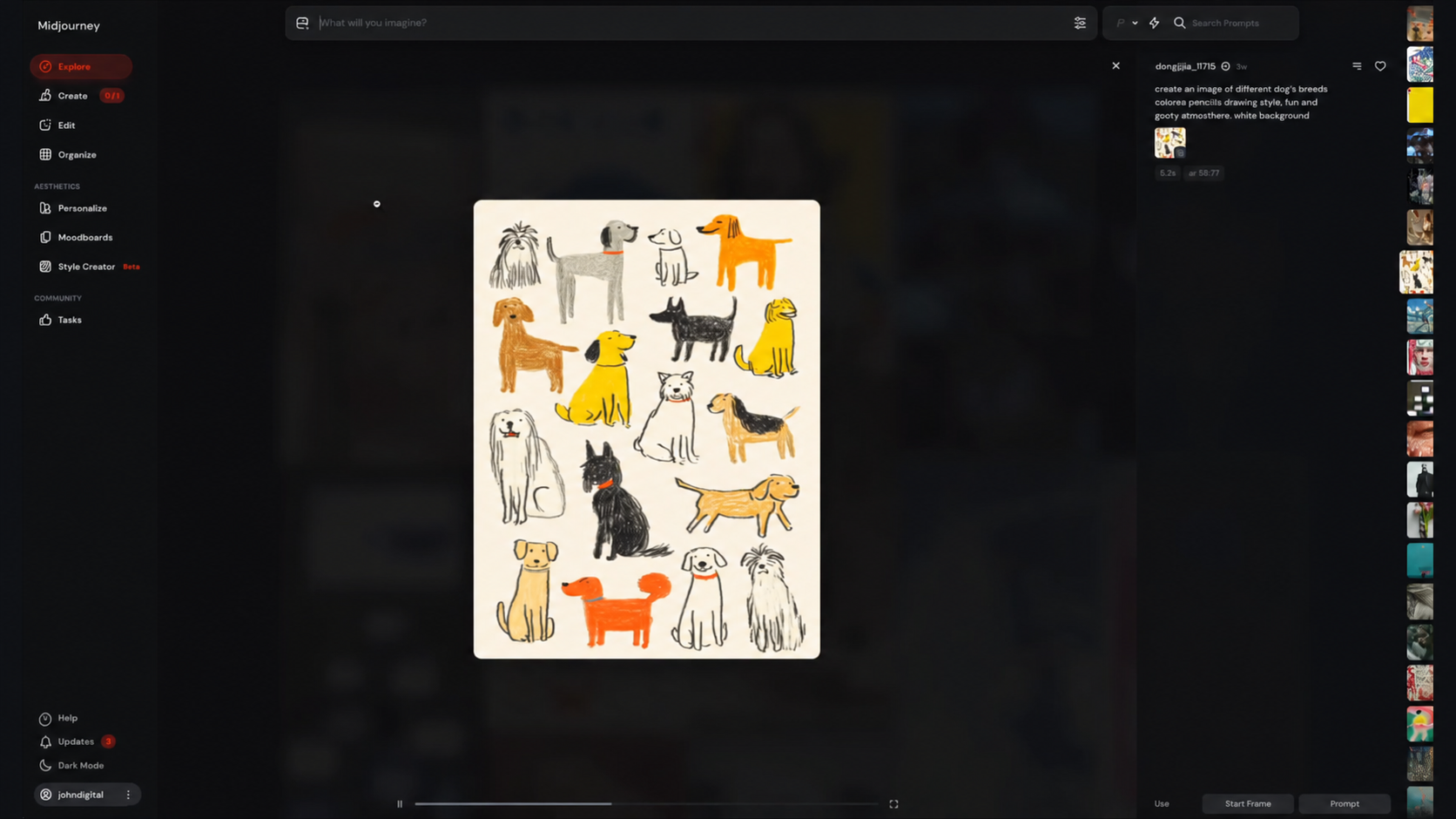
We used that concept to come up with these, to integrate this into the site. And then we incorporated the color palette of the client. So, let me let me walk you through this step-by-step process So, first thing you want to do is go to your explore page and find the aesthetic that you're looking to emulate. So, this puppy one is kind of cool. If I click it, I can see it says create an image. Let me zoom in here. It says create an image of different dog breeds, this specific type of drawing style. I can use this aesthetic.
So, I can actually click this, and this will drop into here. Now, you do need to have access to Midjourney to do this. Then, you want to just drop the image, and you want to do style reference. All right, and then we can change and kind of play around with this a bit. So, we can create an image of different, let's say cat breeds, right? Cat breeds, colorea pencils, drawing style, and goofy atmosphere. We can kind of fix this a little bit, white background. So, I can hit enter and I can get that idea.
So, that's just to kind of give you an idea of the concept. You can actually search the explore page as well. So, you can say, you know, head shot, right? And they'll give you different distinct styles that you're looking for. Or I could say blueprint. And so, I use this search to be able to hone in on the type of images that I want to look for. So, again, start in Midjourney and start with the explore page and look for similar concepts of what you're looking to emulate.
Once you do that, then you're going to again click it, you're going to take that style, drop it into what you will imagine, and then make sure you put the image in style reference. That's really important cuz it's going to give that specific type and design looking feel. So, when I scroll to the top, as you can see, I've got that similar style here, right? And I can play around with this, I can change it, I can update it, I can emulate it.
So, going back to our design aesthetic here, you can actually start to modify this to get it to where you want it to be. So, for example, this is an image that we used. You can see minimal architectural perspective. You can incorporate your color palette into that design. So, it matches that aesthetic. So, if I go back to the site that we created for the client, as you can see, they have this indigo, this white, this teal color combinations. We get the color code for that and incorporate it into it.
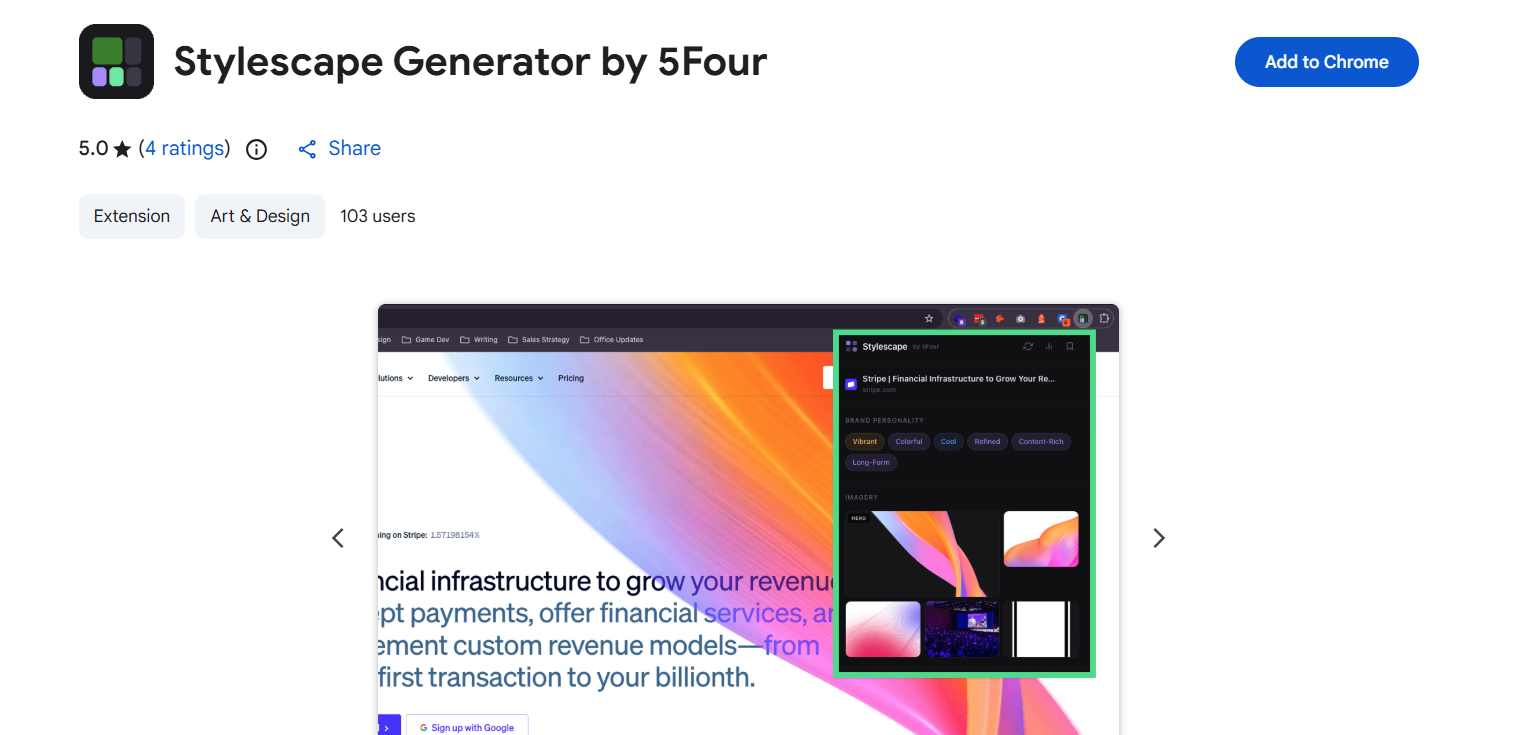
Now, I'll give you another cheat code here. We actually created a Chrome extension and it's right here. It's called Stylescape Generator. So, I can click it and I can get the exact color, secondary, tertiary, neutral colors, primary. I can get all that from here. You can get this. Just go to the Chrome Store and type in Stylescape by 5Four and you'll be able to grab this. It's a free extension. You can use it. But you can easily pull the color palette for that. And then you can add those attributes in Midjourney to get that color palette you really want.
Now, you have an image that you're locked in on that you really like, you're going to go ahead and hit upscale. And what upscale is going to do is just create a high-res version of that illustration you can then use for your designs and aesthetics. And you'll get a beautiful illustration design like this that you can incorporate. As you can see this, this is a pretty large image for this website.
We're able to incorporate this really distinct and and visual cohesion here that the client can use. Then you can drop this in your brand guidelines. You can drop the source files for this into Figma and then that client can have that as a part of their repository. I hope this was helpful. I wanted to make a quick tutorial on how to do this. If you like I'll conclude a doc below on the steps on how to get this done in Midjourney and I hope it's helpful.
Whenever you're ready, there are 3 ways I can help you:
WeeklySOP
A premium newsletter where I drop one fully-built SOP every week. These are real processes from inside my creative agency — made to help freelancers and agency owners delegate, document, and grow with confidence.
Grab the Borderless Book
Get my book, Borderless: How to Hire, Train and Grow a Design and Web Development Agency with Worldwide Talent. It’s the ultimate guide for web designers, brand designers, entrepreneurs, and business owners looking to tap into the vast pool of global talent.
Scale your agency.
Start here.
I will never spam or sell your info. Ever.

.webp)
.jpg)